Free NCLEX® Study Planner: your nursing school and NCLEX-RN® study plan, scheduled for you
Set your dates once. Pick your topics. Your plan fills itself in around class and clinicals, brings each topic back for review, and links every session to its study guide.
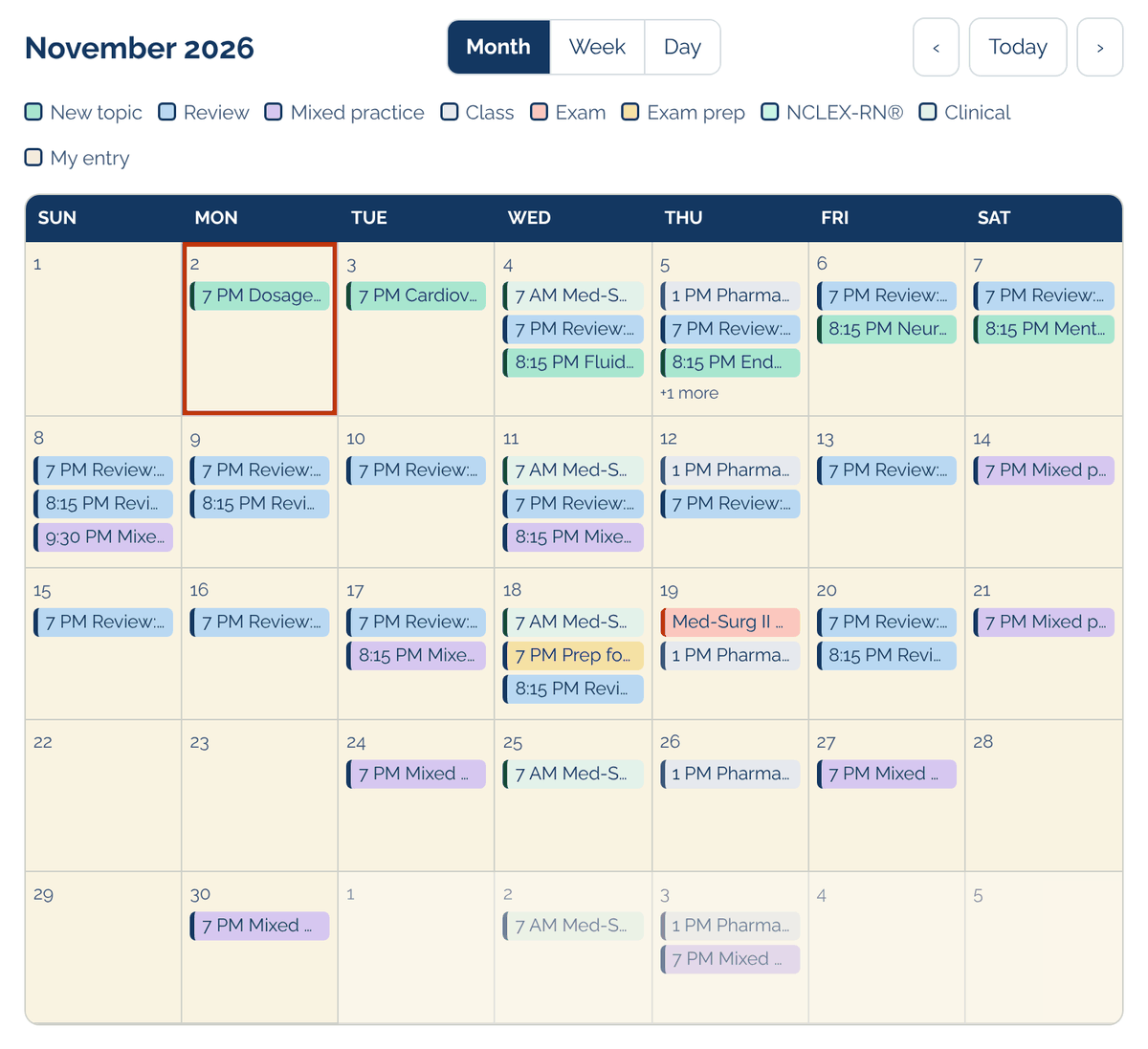
Color-coded calendarNew topic · Review · Mixed practice · Class · Clinical · Exam · Exam prep · NCLEX-RN® date · My entry
Quick answer
What is Jade’s Dynamic Nursing School Planner?
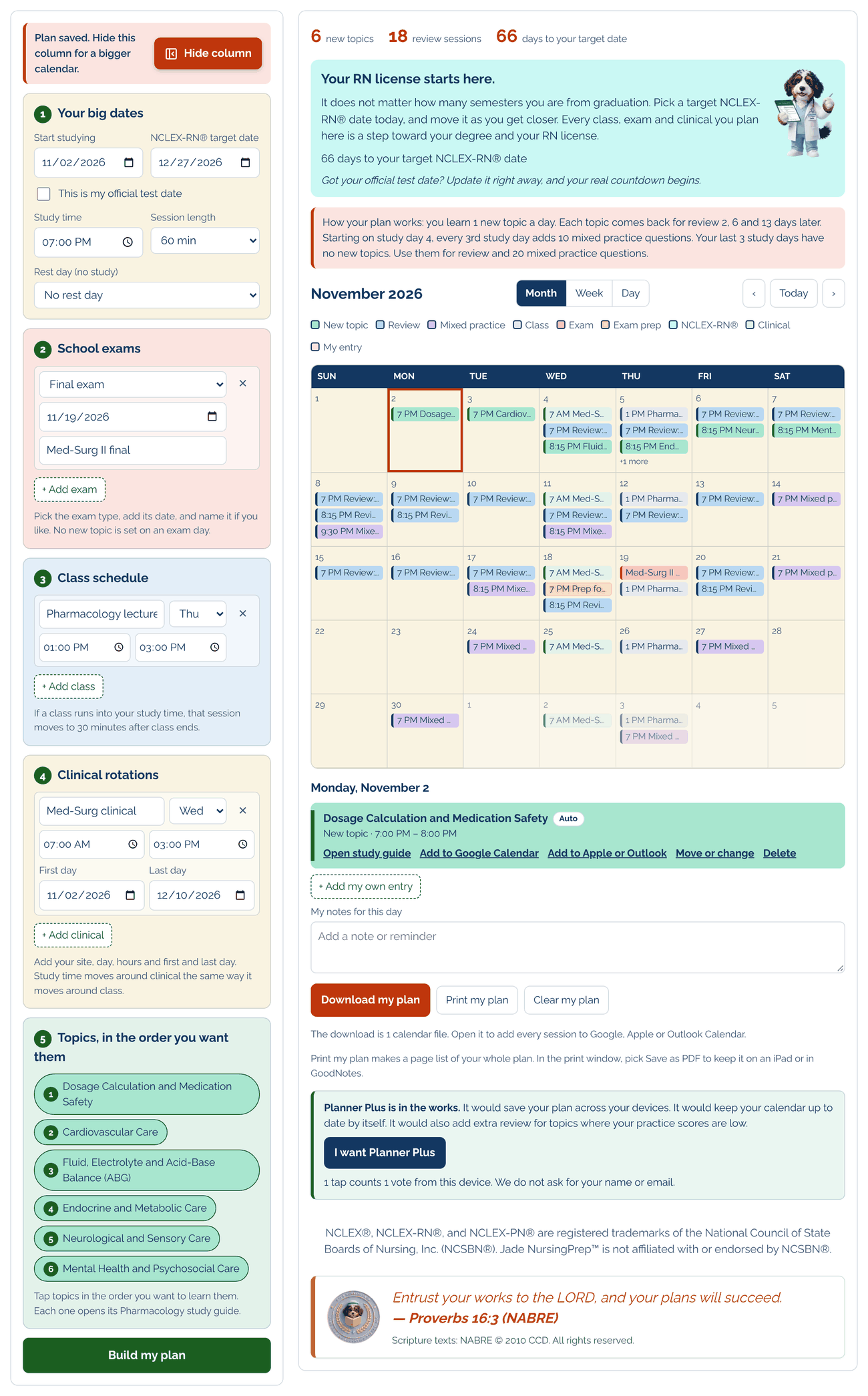
A free NCLEX® study planner for nursing students preparing for school exams and the NCLEX-RN®. You set your dates, school exams, classes and clinical rotations once; it schedules 1 new topic a day, brings each topic back for review 2, 6 and 13 days later, adds mixed practice every 3rd study day, and links every session to its study guide. You can move or change any session and add your own entries.
How it works
Set it up once. Your study schedule fills itself in. Then make it yours.
1
Your big dates
Start date, NCLEX-RN® target date, session length (45, 60 or 90 minutes) and a rest day if you want one.
2
School exams
Add each exam and its date. No new topic is set on an exam day.
3
Class schedule
If a class runs into study time, that session moves to 30 minutes after class ends.
4
Clinical rotations
Add site, day and hours. Study time moves around clinical the same way.
5
Topics, in your order
Tap topics in the order you want to learn them and tap Build my plan. Your study schedule fills itself in: new topics, review days and mixed practice. Each topic opens its study guide.
6
Make it yours
Move or change any session, delete one you do not need, add your own entries, and keep notes for any day. Your plan fits your week, not the other way around.
Why students stay organized
You never wonder what to study next.
1 a day
New topic
You learn 1 new topic a day, linked to its study guide.
2 · 6 · 13
Review days
Each topic comes back for review 2, 6 and 13 days later.
Every 3rd day
Mixed practice
From study day 4, every 3rd study day adds 10 mixed practice questions. Your last 3 study days have no new topics: review and 20 mixed practice questions.
Month, Week and Day views
Download to Google, Apple or Outlook Calendar
Print or save as PDF for GoodNotes
Practice → report → plan
Not sure which topics to plan first?
Take a free NGN-Style practice set. Your personal report shows your strengths and your next topics. Put those topics first in your planner.
Then $4.99 a month. A card is needed to start. Cancel before day 7 and you are not charged. To cancel later: Me, then Account, then Payments.
NCLEX® study planner questions
Is the study planner free?
Yes. The free tier of Jade’s Dynamic Nursing School Planner is free. You can build your plan right away, with no account. Planner Plus is the paid tier: it saves your plan across your devices and gives you a calendar that keeps itself up to date.
Can I use it for a 2-week or 4-week NCLEX study plan?
Yes. You set your start date and your NCLEX-RN® target date, and the planner fits your topics between them. If some topics do not fit, it tells you which ones, so you can start earlier, add study time or remove your rest day.
Does it work around class and clinicals?
Yes. If a class or clinical runs into study time, that session moves to 30 minutes after it ends. No new topic is set on a school exam day.
Can I change my study schedule or add my own entries?
Yes. After the planner fills in your schedule, you can move or change any session, delete one, add your own entries and keep notes for any day.
Can I add my plan to Google, Apple or Outlook Calendar?
Yes. Download your plan as 1 calendar file and open it to add every session. You can also print it or save it as a PDF for GoodNotes.
Where is my plan saved? Does Jade see it?
Free tier: your plan is saved only on this device, in this browser. Jade does not receive it. Save a backup file to move your plan to a new phone or browser. Planner Plus (paid tier): your plan and calendar are saved on Jade’s planner server, hosted by Cloudflare, under a private code. Your name and email are not saved with it.
What does Planner Plus add, and how does the free trial work?
Planner Plus saves your plan to your Jade account, so it is on every phone and computer you sign in on. Add your plan to your phone calendar once, and the calendar updates by itself when you change your plan. The trial is free for 7 days, then $4.99 a month. A card is needed to start. Cancel before day 7 and you are not charged.
Good to know
Free tier: your plan is saved only on this device, in this browser. Jade does not receive it. Save a backup file to move it to a new phone or browser.